Same GPUs. Far more answers.
Six situations where AlphaTango changes the result: fewer GPUs to buy, speed promises kept, and more useful work from the fleet you already own. Every number comes from simulations on public traffic recordings, scored on days the settings had never seen.
Local settings.
Global goal.
Kept only if the whole service wins.
01Use cases
The hidden fleet
A large-model API with a sharp daily peak, every tool at factory settings: 265 GPUs on average, and real-time answers still late every afternoon. AlphaTango tunes the whole service together: 79 GPUs, promise kept every day. 3.4× fewer.
Read the casePaying users first
Paying users, free users and background jobs share your GPUs. At factory settings, background work crowded out urgent users: only 2% were answered on time. AlphaTango tunes two tools together: 99.9% on time, 1.8× lower cost per on-time answer, on 1.4× fewer GPUs.
Read the caseAI coding agents
Coding agents resend a long prompt every turn, about 25,000 tokens, mostly repeated. AlphaTango keeps each session's work on the right copy of the model and tells the autoscaler: 44 GPUs down to 10, 4.3× fewer, at 4.3× lower cost per on-time answer.
Read the caseMany models, one pool
Most internal models are used only a few times an hour, yet each one holds its own GPUs. AlphaTango pools the quiet ones and keeps every speed promise: in the best case, 122 GPUs down to 13, 9.3× fewer.
Read the caseTwice the AI from the GPUs you already own
You own a fixed fleet and demand keeps growing. AlphaTango tunes the whole stack for one goal, the most on-time work from the GPUs you have. In our simulation, 400 GPUs did the work of about 816: 2× the useful work.
Read the caseThe GPU-limited startup
Can't get more GPUs this quarter? AlphaTango frees the ones you have. In our simulation, a startup's work dropped from 45 GPUs to 10, 4.6× fewer: 4.8× the on-time answers from the same GPUs.
Read the case02Capacity planning
Size it before you buy it.
The AlphaTango Capacity Planner is a self-serve sizing tool. Describe your models and traffic, pick the GPUs you are considering, and it runs the whole thing on the AlphaTango Digital Twin: the answer is measured, not guessed. Six questions it answers in minutes.
How many GPUs for my launch?
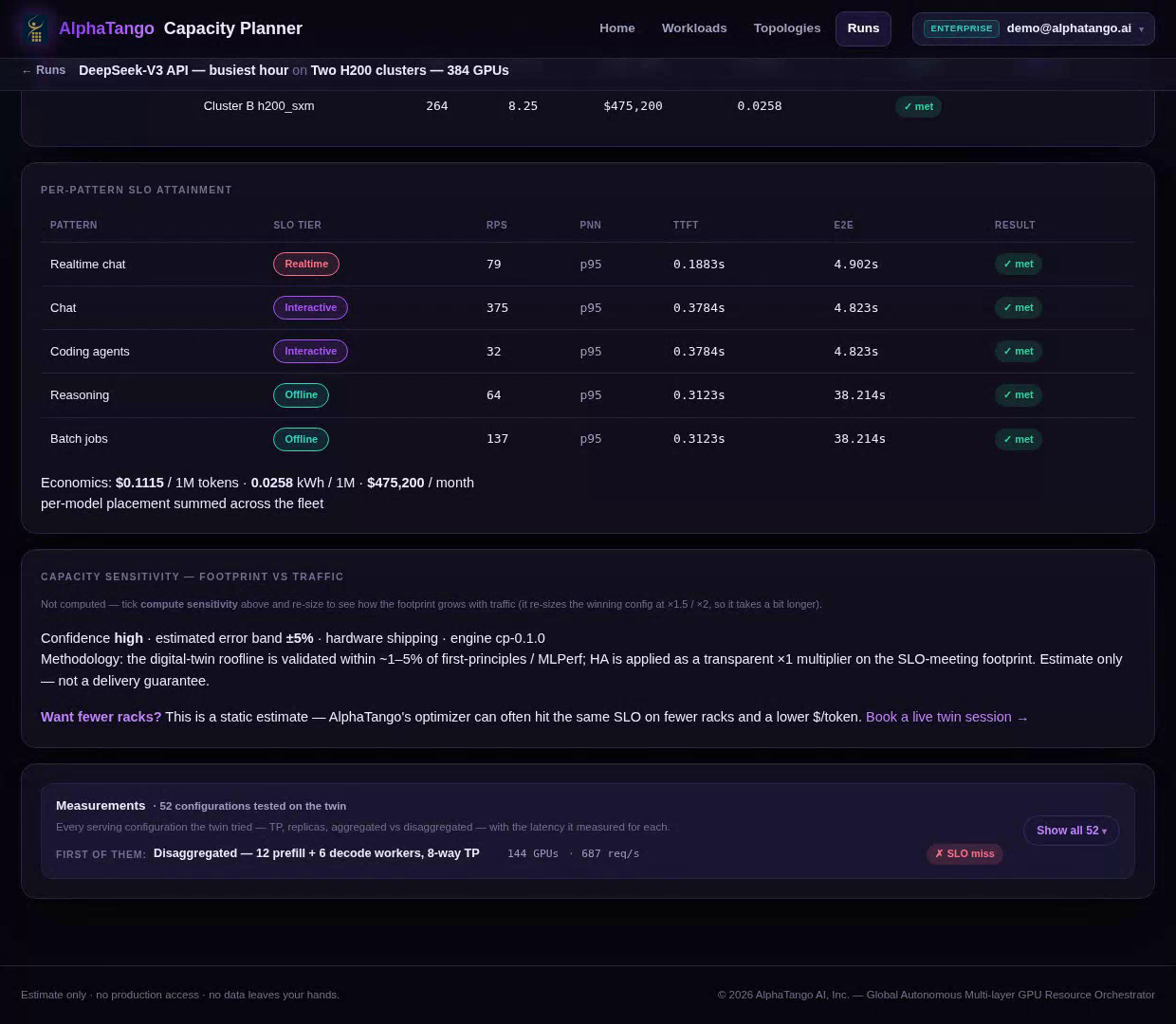
264 GPUs, every speed promise met. An API provider launching DeepSeek-V3 for five kinds of work, about 690 requests a second at the busiest hour. The Capacity Planner sizes it on two H200 clusters: 264 GPUs, every promise met.
See the demoWhich GPU should I buy?
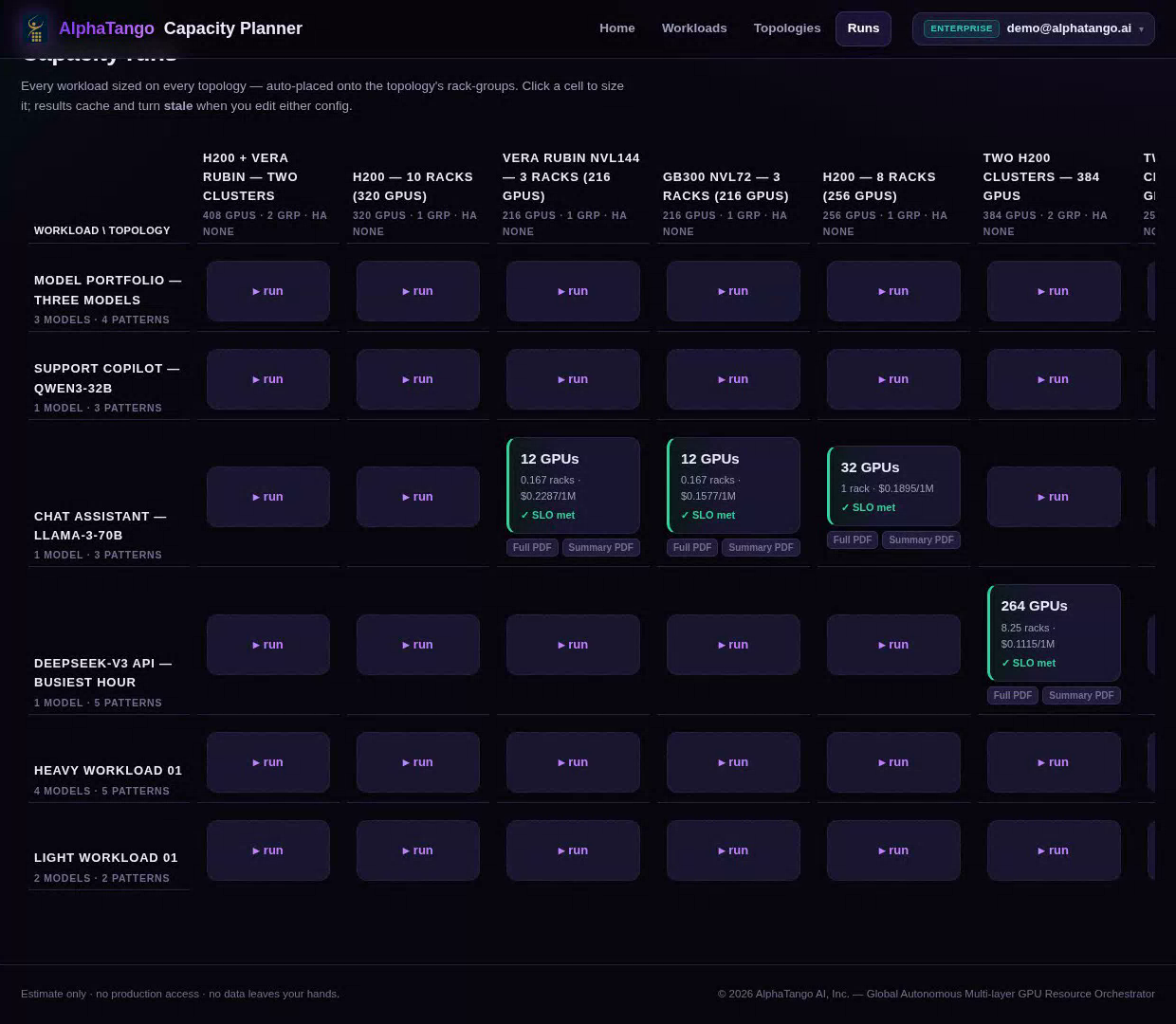
GB300: 12 GPUs, the lowest monthly cost. A Llama-3-70B chat assistant, 70 requests a second, sized on three GPU options. H200 needs 32 GPUs; GB300 NVL72 and Vera Rubin need 12 each, and GB300 has the lowest monthly cost.
See the demoWhat if my traffic doubles?
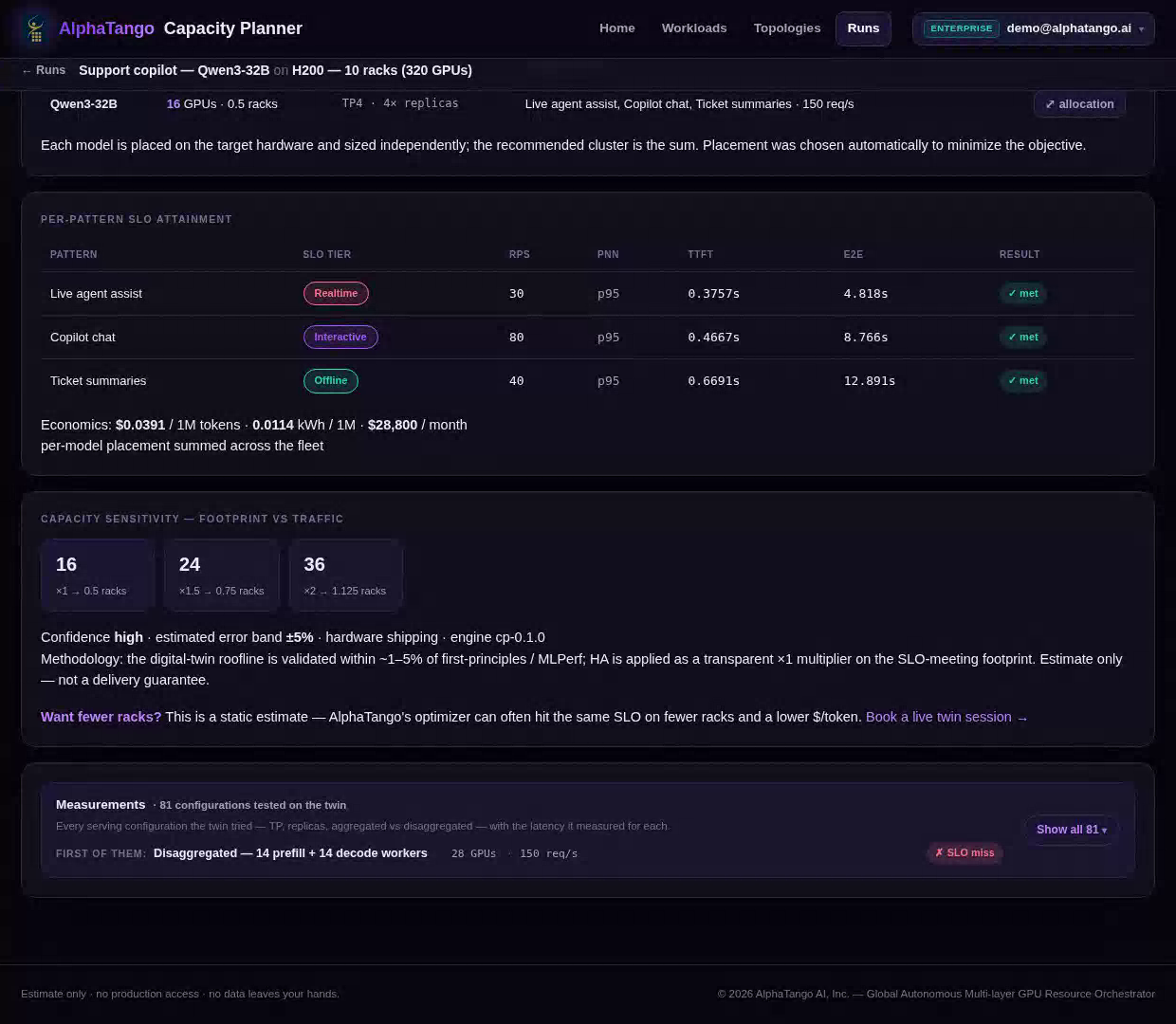
2× the traffic needs 2.25× the GPUs. A Qwen3-32B support copilot on H200: 16 GPUs today. The Capacity Planner re-sizes it for growth: 24 GPUs at 1.5× the traffic, 36 at 2×. Doubling the traffic takes 2.25× the GPUs, not 2×.
See the demoMany models, two GPU generations
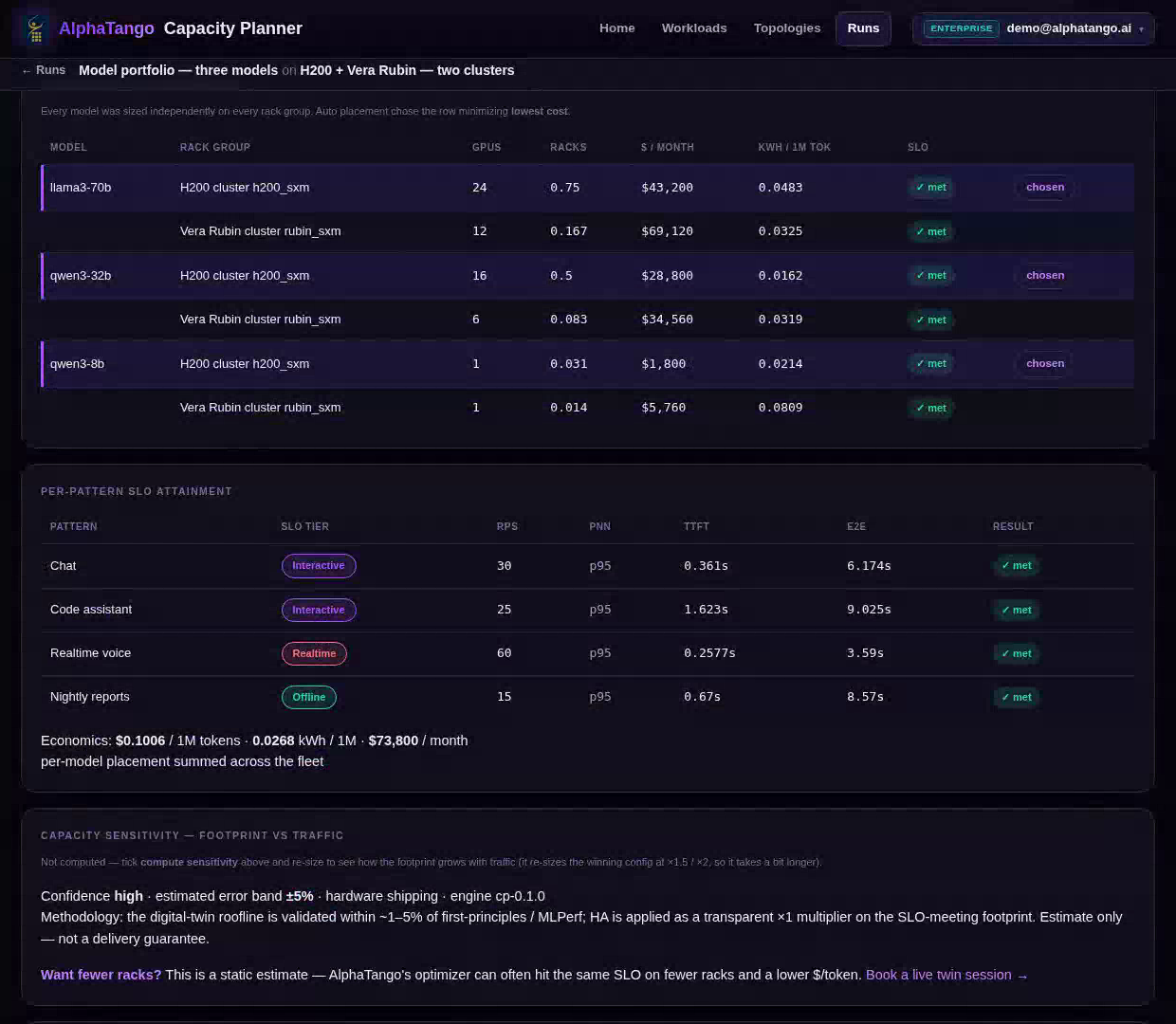
Rubin: half the GPUs. H200: the lower bill. Three models and two GPU generations. The Capacity Planner sizes every model on both: Vera Rubin needs half the GPUs or fewer, but at today's rental prices H200 is cheaper for all three, so that is where it puts them: 41 GPUs, every promise met.
See the demoWhat does reliability cost?
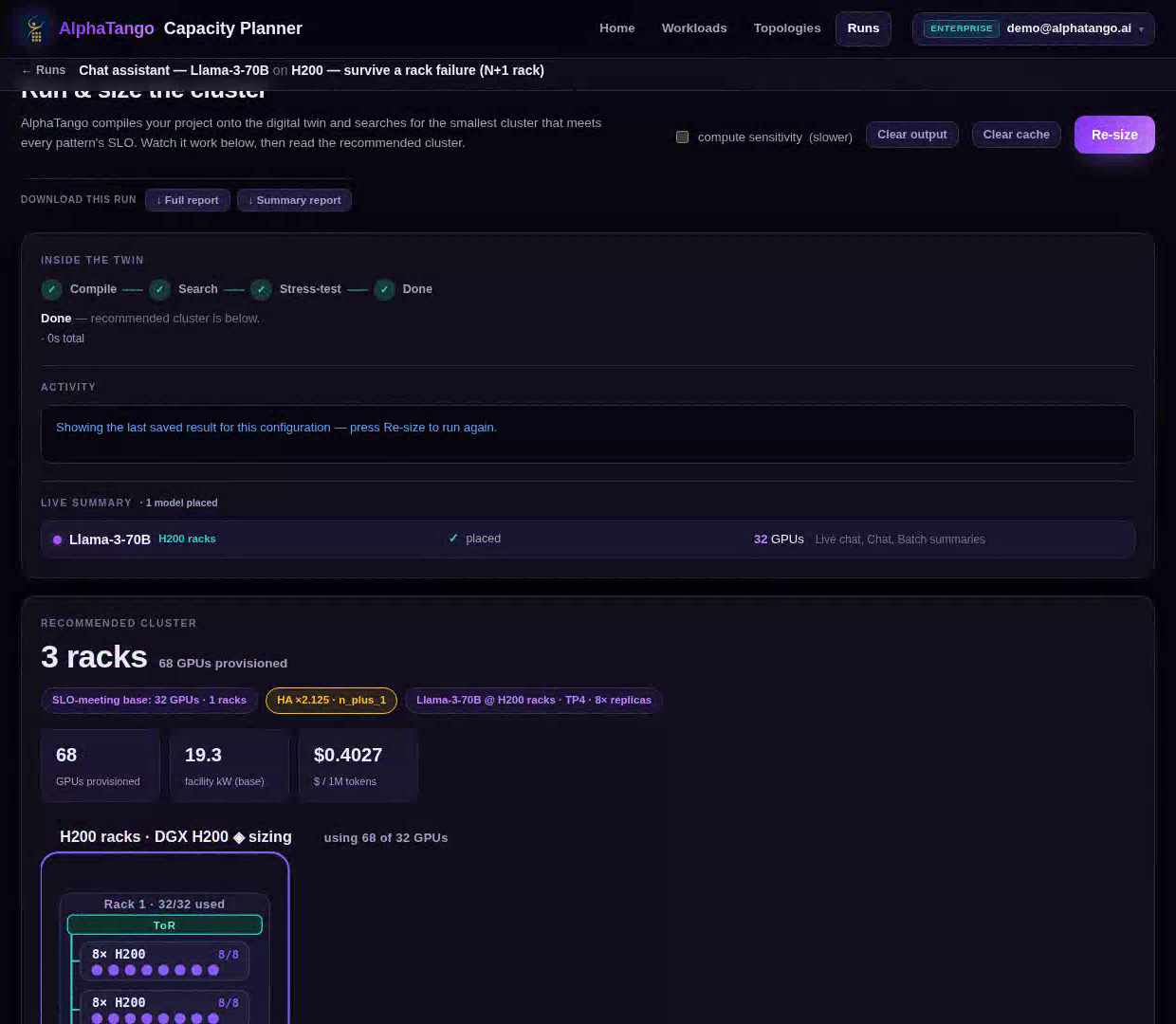
Surviving a rack failure: 2.1× the bill. The Llama-3-70B chat assistant needs 32 H200 GPUs, $57,600 a month. Surviving a server failure takes 44 GPUs ($79,200); surviving a whole rack failing takes 68 ($122,400). Know the price of each promise.
See the demoWhat fits in my power budget?
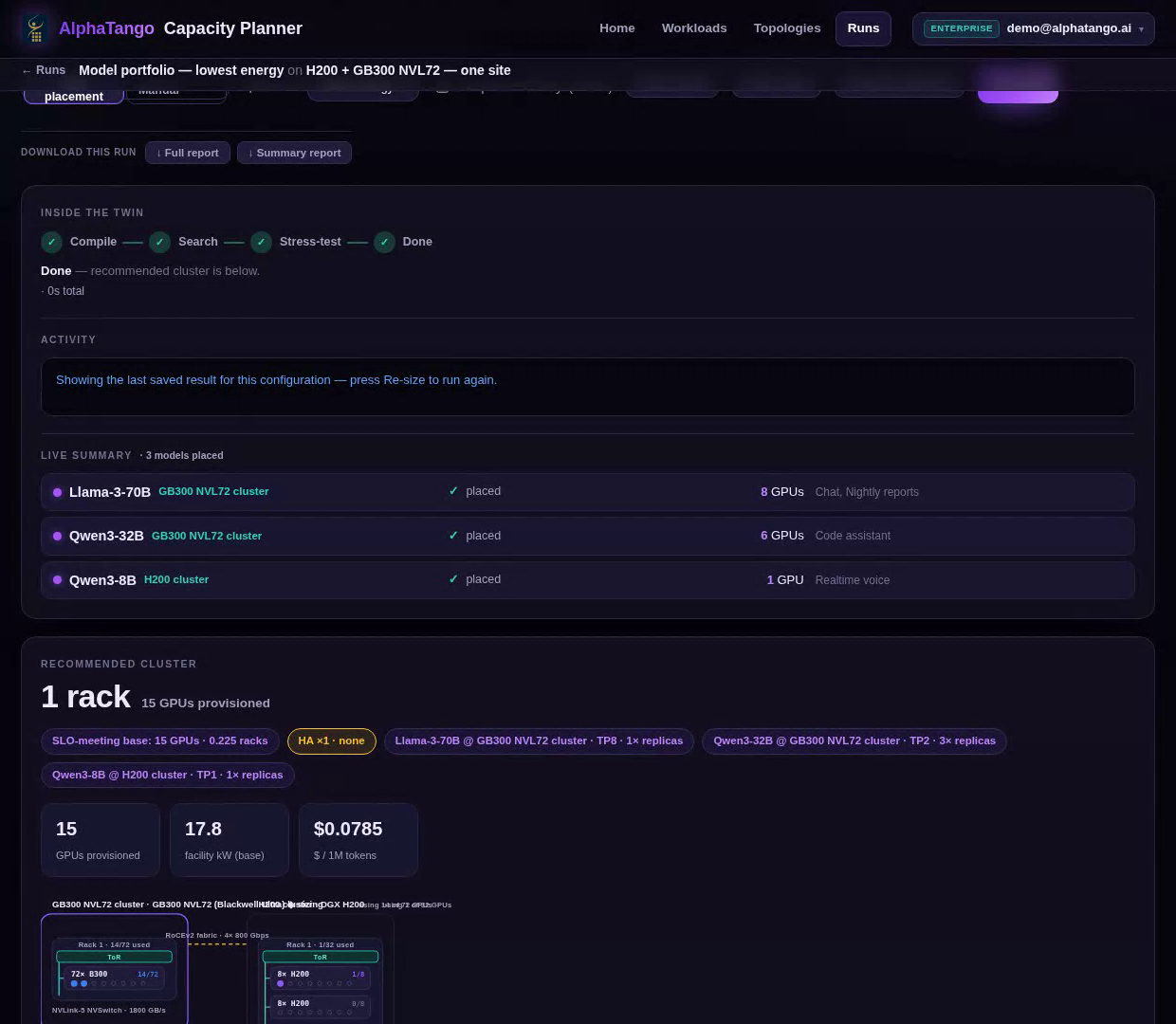
A third more work per megawatt. Three models on H200 alone: 41 GPUs, 23.6 kW. Add a GB300 NVL72 cluster and the Capacity Planner moves the two big models there: 15 GPUs, 17.8 kW, and a lower bill. A third more work from every megawatt.
See the demoHow we measure
Numbers you can check.
'3.4× fewer GPUs' compares GPUs switched on, averaged over the day. 'Lower cost per on-time answer' divides what the whole service costs (GPU rental plus electricity) by the work it delivered within its speed promise. Both compare AlphaTango with every tool left at the settings its vendor ships (factory settings). Results come from AlphaTango's whole-system simulator, built on its Digital Twin and run on public traffic recordings, scored on days the settings had never seen. GPU prices are rental list prices.
- 01One goal for the whole serviceThe lowest cost per answer delivered within its speed promise. Nothing else counts.
- 02Every tool set togetherEngine, memory, router, scheduler and autoscaler are tuned as one system in AlphaTango’s Digital Twin.
- 03A change is kept only if the whole service improvesA local win that hurts the whole service is rejected.
- 04Scored on days the settings had never seenReal public traffic recordings from 2024 to 2026, compared with every tool at its factory settings.